


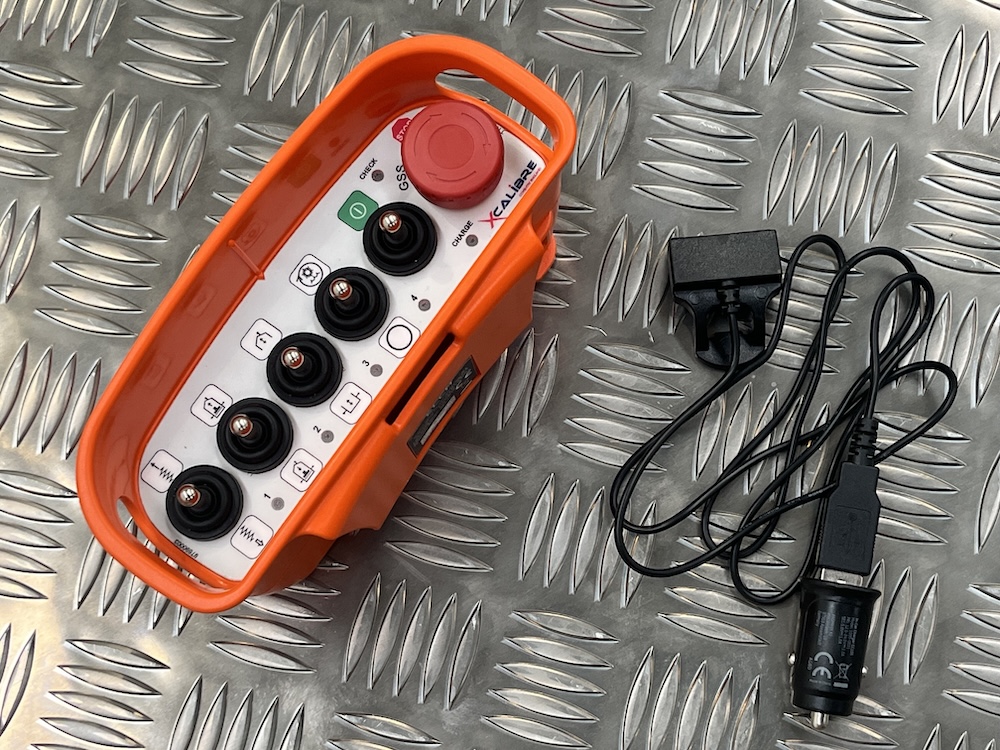
ELCA Handset Replacement and Pairing Guide Overview
Each ELCA wireless control system consists of:
A Transmitter (TX) = Handset
A Receiver (RX) = Machine receiver unit
A standard kit is supplied with matching serial numbers. For example:
Handset (TX): E99999
Receiver (RX): E99999
Further information can be found here - https://www.xcalibre.com/news/wireless-control
And also in our downloads section - https://www.xcalibre.com/downloads
Scenario 1: Replacing a Lost or Damaged Handset
If the original handset is lost or damaged:
Original system, say for example
Handset: Serial number E99999
Receiver: Serial number E99999
Replacement handset, for example (R)
Handset: Serial number R111111
The replacement handset (R) can be paired to the existing receiver by following the "How to Store Access Code" procedure. (Contact Xcalibre for this information)
Result
Handset R111111 operates Receiver E99999
No receiver reset is required.
Scenario 2: Using an Official ELCA Replacement Handset purchased from Xcalibre.
Xcalibre can provide replacement transmitter units that can be identified by the letter "R" in the serial number.
Example:
Original system
Handset: E111111
Receiver: E111111
If the handset is damaged:
Replacement
Handset: R00000
Simply carry out the pairing (coupling) procedure (Contact Xcalibre for this)
These "R" handsets are supplied ready for pairing and do not need to be reset before use.
Scenario 3: Using a Handset Taken from Another Complete Radio Kit
If you take a handset from another complete ELCA radio control kit, it will already be paired to its original receiver.
Example:
Existing spare kit
Handset: E222222
Receiver: E222222
If you want to use handset E222222 with receiver E99999:
Reset the handset E222222 (Contact Xcalibre for this information)
Follow the pairing (coupling) procedure (Contact Xcalibre for this information)
Pair it to receiver E99999 (Contact Xcalibre for this information)
The receiver E99999 does not need to be reset.
Is it necessary to reset the receiver?
No.
A receiver does not need to be reset when pairing a replacement handset.
Can a replacement handset be paired to an existing receiver?
Yes.
Follow the coupling / access code procedure and the new handset can be linked to the receiver (Contact Xcalibre for this information)
Are matching serial numbers required?
No.
A replacement handset can be paired to a receiver with a different serial number.
However, Xcalibre & Elca recommends keeping spare replacement handsets available rather than mixing transmitters between complete systems whenever possible.
Quick Reference
✅ Replacement handset with "R" serial number → Pair directly to receiver.
✅ Receiver reset required → No
✅ Handset from another complete kit → Reset handset first, then pair
✅ Different serial numbers can work together → Yes
✅ Pairing method → Follow the "How to Store Access Code" procedure
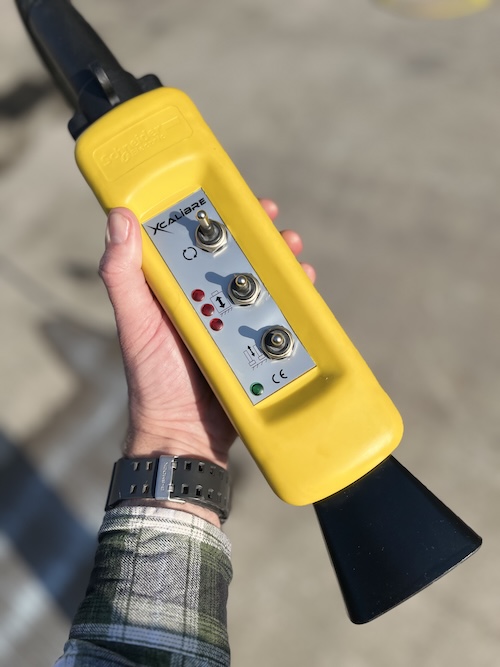
Can a old T4 or T5 machine with a wired handset be converted to a wireless handset?
Watch this space, we are working on this and will update soon.
How long does the battery last?
The wireless handset can work for 20 hours continuously.
Using the General Saftey Stop as an "OFF" feature.
And even in standby mode, with GSS pressed down, you can have up to 2 months before needing a recharge.
To protect battery health - Please remember to charge the battery fully at least every 6 months to avoid battery degradation caused by deep discharge and long storage conditions. Also store in a cool dry enviroment.
Further information can be found here - https://www.xcalibre.com/news/wireless-control
And also in our download section - https://www.xcalibre.com/downloads

